
Case study · Basic SEO optimization on Horoshop
Basic SEO optimization of a computer hardware store
Basic SEO optimization of a computer hardware online store on Horoshop, April 2025: graphics cards, gaming PCs, laptops and peripherals. The pages had the platform's template tags with the auto-text "Products in stock", the product page Title contained an internal code, and the home page had no H1. LightSEO optimized every page of the site; examples are below.

What it was like
Horoshop template tags, internal codes and no H1 on the home page
This is how the Title and Description of the store's pages looked before the work began.
Titles built by the platform formula
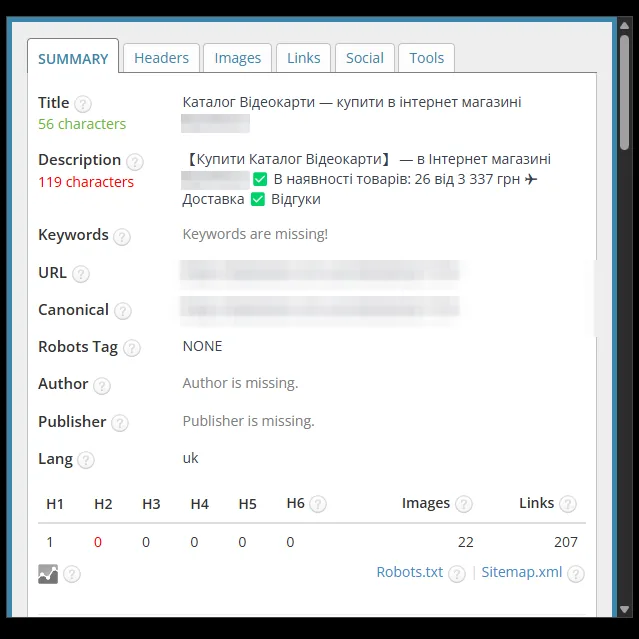
Categories had Titles like "Catalog Graphics cards – buy in the online store …". Subcategories repeated the name of the parent section: "Gaming peripherals Headset for gamers". The contacts page was called "Home Contact information – buy in the online store …".
Autotext instead of a description
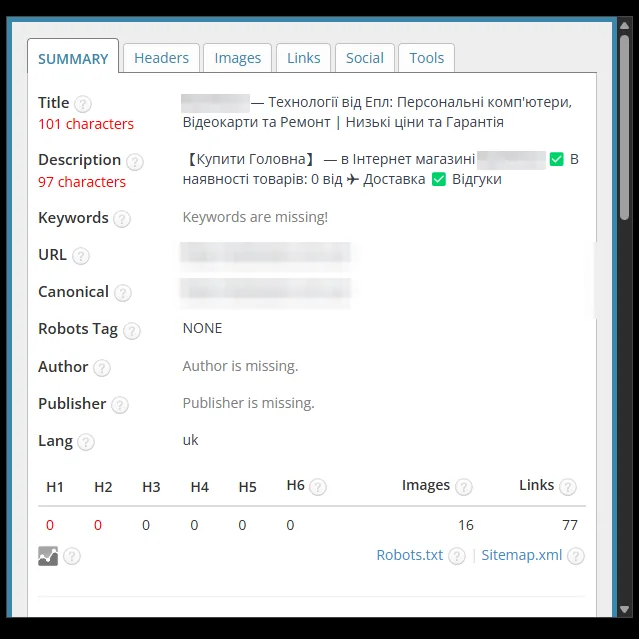
The Description was assembled from a template: "Buy" and the page name, the number of products in stock, a "from" price, "Delivery", "Reviews". On the home page, the contacts page and the peripherals section the counter showed "Products in stock: 0". Some descriptions were 97–119 characters long – the red zone of the panel.
Long Titles and no H1 on the home page
The home page Title was 101 characters long and listed computers, graphics cards, repairs, prices and warranty. On the product page, the Title started with the word "Buy" and contained the internal product code: 92 characters. The product page description included the store's phone number. The home page had no H1.
In numbers
What the checking panel showed
8
pages in the screenshots: home, categories, subcategory, contacts, product
97 → 167
characters in the home page Description: from the red zone to the green one
0 → 1
H1 on the home page
How we worked
What we changed in the tags
Everything described below is visible in the before and after screenshots: where the tags were written by hand and where the template works.
- Step 01
Hand-written tags for the home page and categories
We wrote the Title and Description of the home page and of the graphics cards, laptops, gaming PCs and peripherals categories by hand. In the categories, the query comes first in the Title: "Buy a graphics card …", "Laptop buy …", "Gaming computer buy …". The description covers product types and the store's advantages.
- Step 02
A formula for the subcategory and product
The subcategory got a Title like "Name buy in Ukraine – …", and the product page – "Product name buy in the store …". The Description of both follows one formula: "Buy", the page name, advantages with emoji – warranty, consultation, delivery across Ukraine. The formula relies on the page name, so it works for new products too.
- Step 03
Internal phrases removed
The word "Catalog" and the "Products in stock" counter disappeared from category Titles and Descriptions. In the subcategory we removed the duplicate parent section, and on the contacts page – "Home" and "buy". On the product page the Title now starts with the name: the internal code was removed, and the phone number disappeared from the description.
- Step 04
H1 and length in the green zone
We added an H1 to the home page (0 → 1). All Descriptions are 157–172 characters – the green zone of the panel. The Titles of the subcategory, contacts, laptops, gaming PCs and peripherals are 48–65 characters, also in the green zone.
Before and after
SEO tags: before and after
Screenshots of the SEO tag checking panel before and after the work; the store name is hidden.
Home page
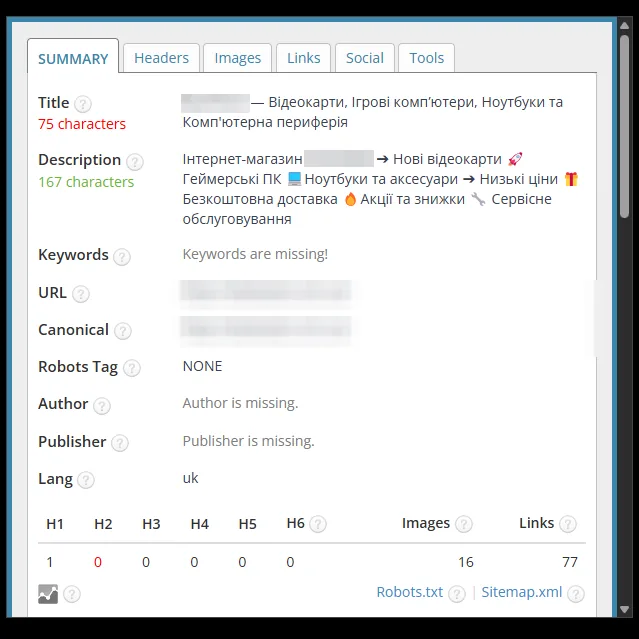
The Title was shortened from 101 to 75 characters and rewritten around graphics cards, gaming computers, laptops and peripherals. The template Description with "Products in stock: 0" (97 characters) was replaced with text about the store's advantages (167 characters), and an H1 appeared (0 → 1).
Category: graphics cards
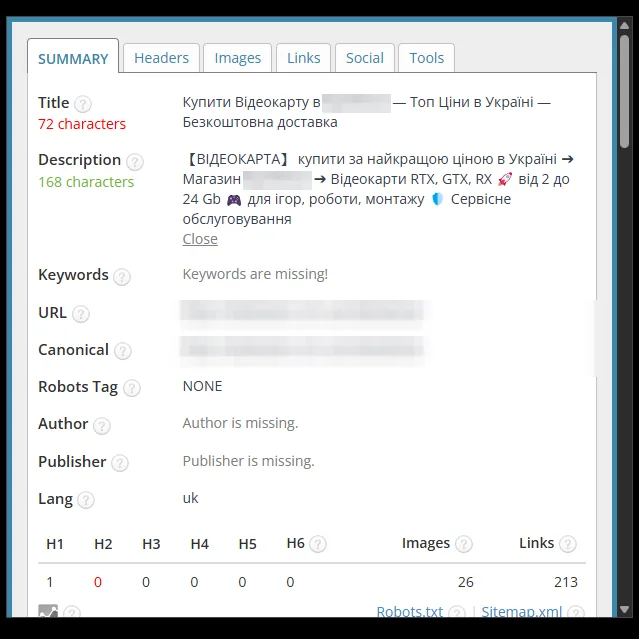
The Title was rewritten with the query "Buy a graphics card" at the start and advantages: prices, free delivery (56 → 72 characters). The template Description (119 characters, red zone) was replaced with text about RTX, GTX and RX cards, tasks and service (168 characters).
Category: laptops
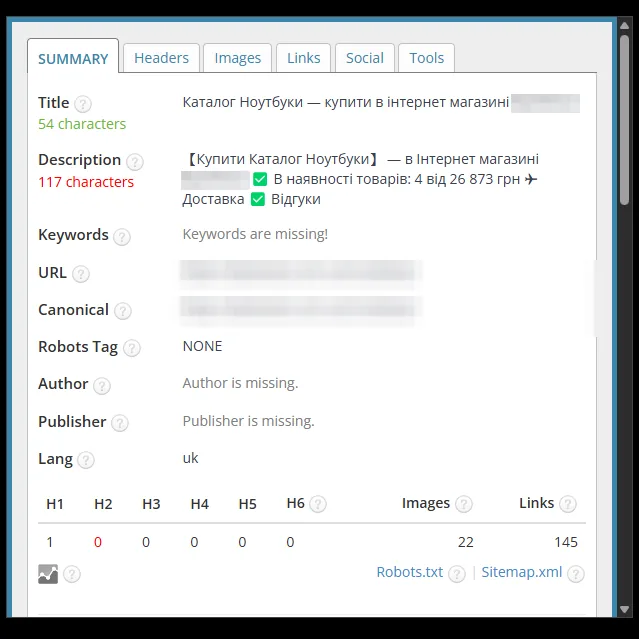
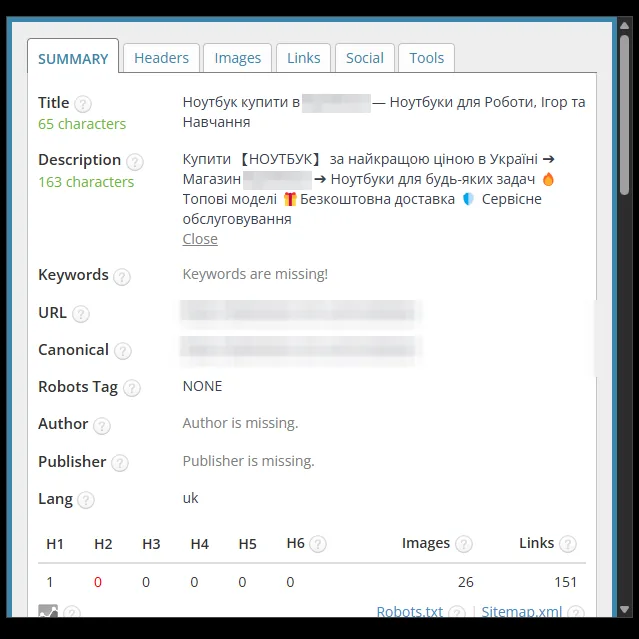
The Title was rewritten with the query "Laptop buy" at the start and the use cases – work, gaming, study (54 → 65 characters). The template Description (117 characters, red zone) was replaced with text about the advantages, with emoji (163 characters).
Category: gaming computers
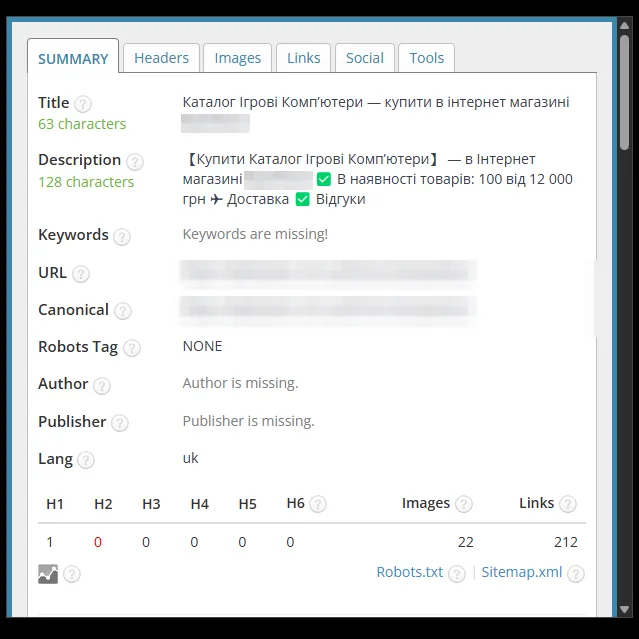
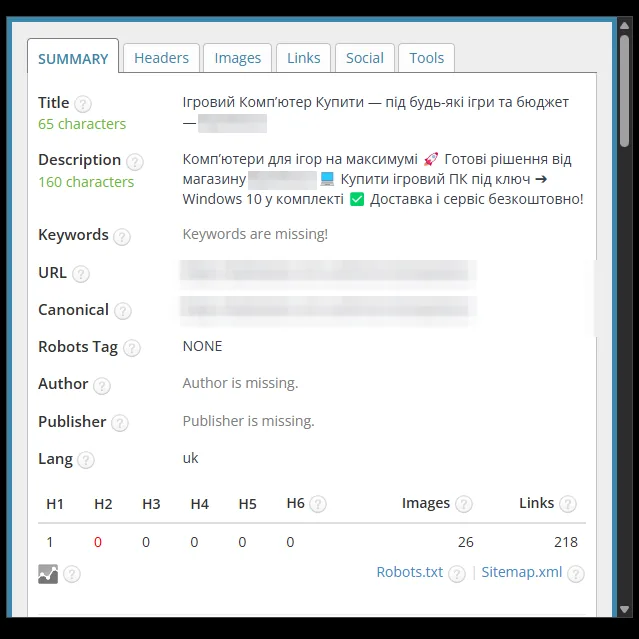
The template Title "Catalog … – buy in the online store …" was replaced with a Title that starts with the query "Gaming computer buy" (63 → 65 characters). The Description with the product counter (128 characters) was replaced with text about ready-made PCs, delivery and service (160 characters).
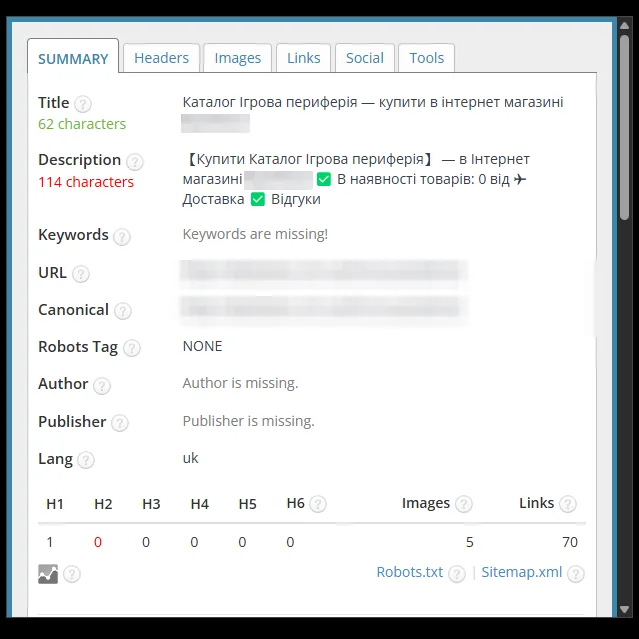
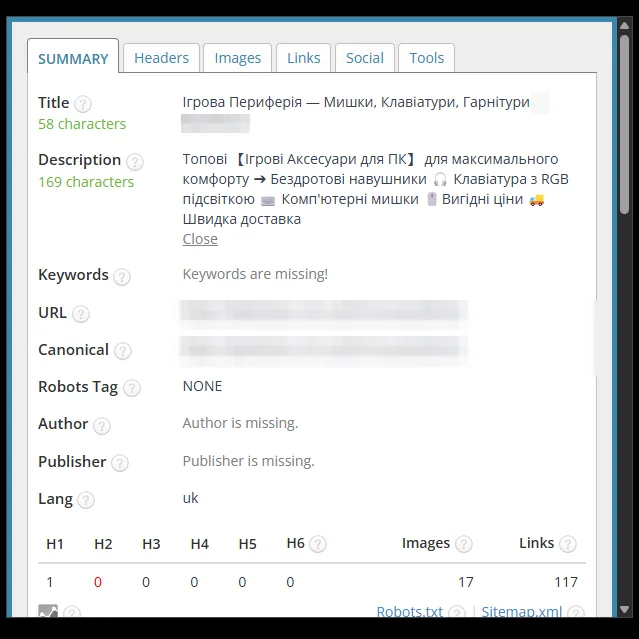
Category: gaming peripherals
The Title now lists the subcategories: mice, keyboards, headsets (62 → 58 characters). The template Description with "Products in stock: 0" (114 characters, red zone) was replaced with a list of products and advantages with emoji (169 characters).
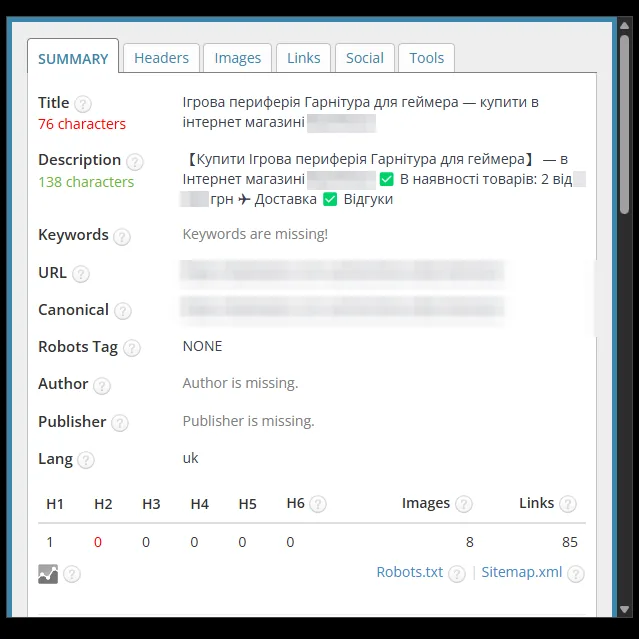
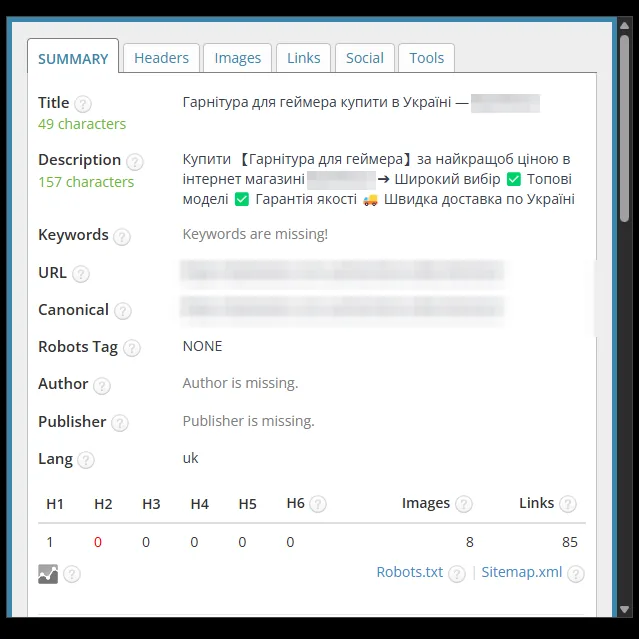
Subcategory: headsets for gamers
The Title was shortened from 76 to 49 characters: the duplicate parent category name was removed, and the query comes first. The template Description (138 characters) was replaced with text about the advantages, with emoji (157 characters).
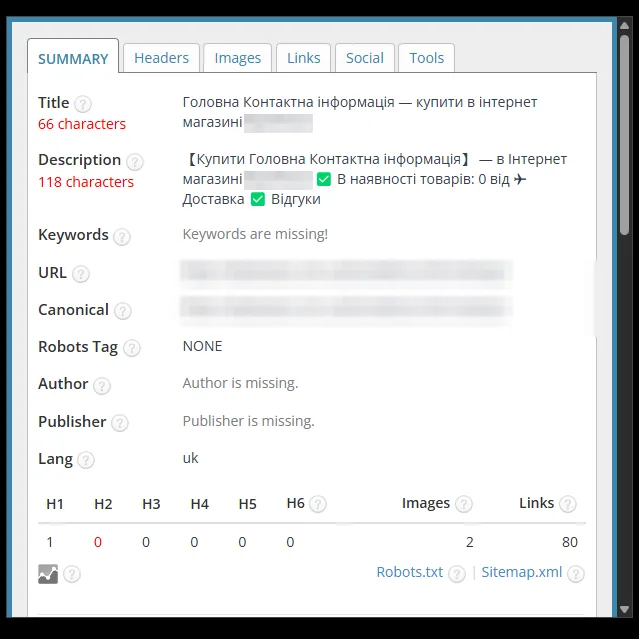
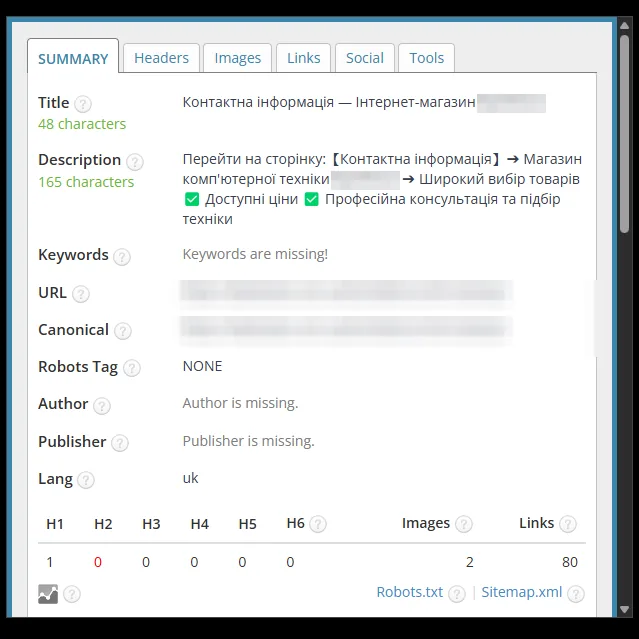
Contacts page
The Title was shortened from 66 to 48 characters, and "Home" and "buy" disappeared from it. The template Description with "Products in stock: 0" (118 characters, red zone) was replaced with text about the computer hardware store, prices and consultation (165 characters).
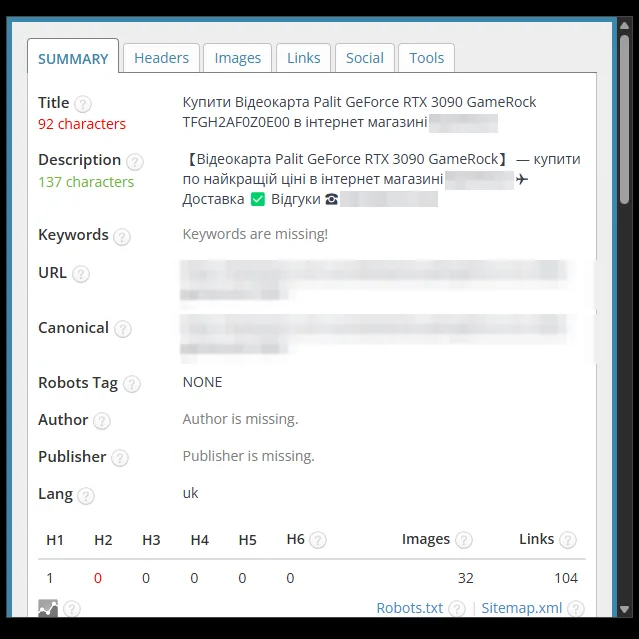
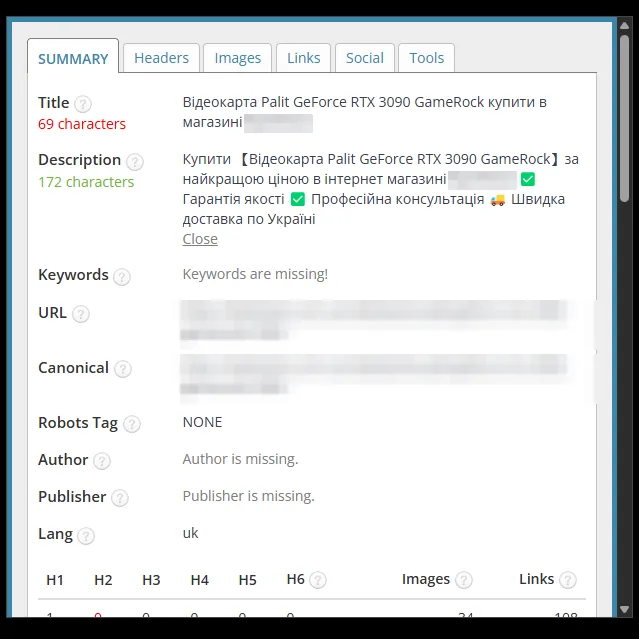
Product page: graphics card
The Title was shortened from 92 to 69 characters: the internal product code and "Buy" at the start were removed. The Description now has warranty, consultation and delivery instead of the phone number (137 → 172 characters).


Result
Correct snippets on every page
Basic SEO optimization covered every page of the site: the home page, catalog sections, product pages and information pages. The screenshots above are examples that show how the Title, Description and H1 changed.
Each of the 8 pages in the screenshots got a Title with a query or a list of sections and a Description with the store's advantages. All Descriptions are in the green zone of the panel: 157–172 characters. The home page now has an H1. The subcategory and the product page got a formula based on the page name, which works for new products too. Longer Titles (69–75 characters) remained on the home page, in the graphics cards category and on the product page with the full model name.
The snippet is the first thing a shopper sees in Google results. When the tags describe the product range without internal phrases, ads and SEO promotion start on a site that already looks neat in search.
BASIC package
Basic SEO optimization of your Horoshop store
Title, Description and H1 for all pages of the website: home page, categories, product pages, information pages. We replace the platform's template tags with texts containing search queries.
- Title and Description
- H1 on every page
- Templates for categories and products
- Before and after report
from $150
Free consultation
Want these tags for your store?
Send us your store's address – we will check which tags the platform currently generates and propose a scope of work. We reply Mon–Fri from 9:00 to 18:00.
- Telegram@LightSEOUA
- Phone095 430-06-28
- Emaillightseoua@gmail.com
- Office hoursMon–Fri: 9:00–18:00