
Case study · Basic SEO optimization on Horoshop
Basic SEO optimization of a sock online store
Basic SEO optimization of a Horoshop store selling toe socks, tabi socks, no-show socks and sports socks, May 2025. Categories and contacts had template Titles "… – buy in the online store …", product page Titles contained the SKU, and descriptions carried the "Products in stock" counter. LightSEO optimized every page of the site; examples are below.

What it was like
Horoshop template tags, a product counter in descriptions and SKUs in Titles
This is how the Title and Description of the store's pages looked before the work began.
Template Titles
Category and contact Titles followed the formula "… – buy in the online store …", product pages used "Buy … in the online store …" with the SKU after the name. The contacts Title picked up an extra word: "Home Contact information".
Autotext instead of a description
The Description was assembled from a template: "Buy" and the page name, "Products in stock: N from M UAH", "Delivery", "Reviews". On the home page and the contacts page the counter showed "Products in stock: 0 from" without a price. The home page got the phrase "Buy Home".
Length in the red zone
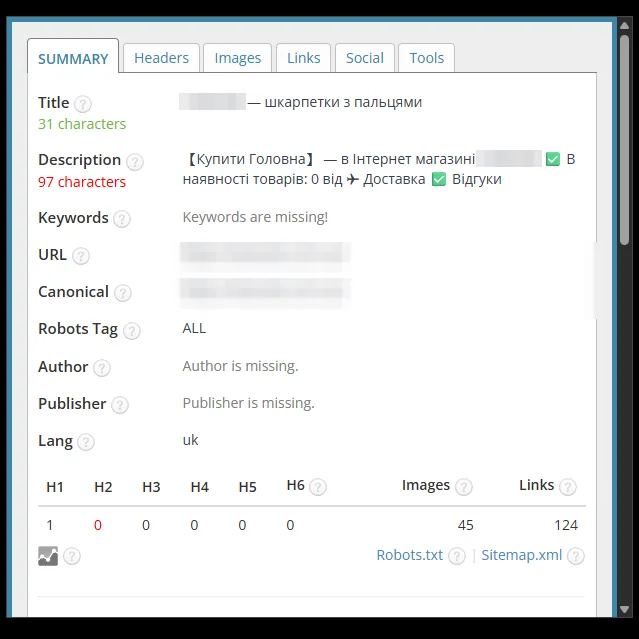
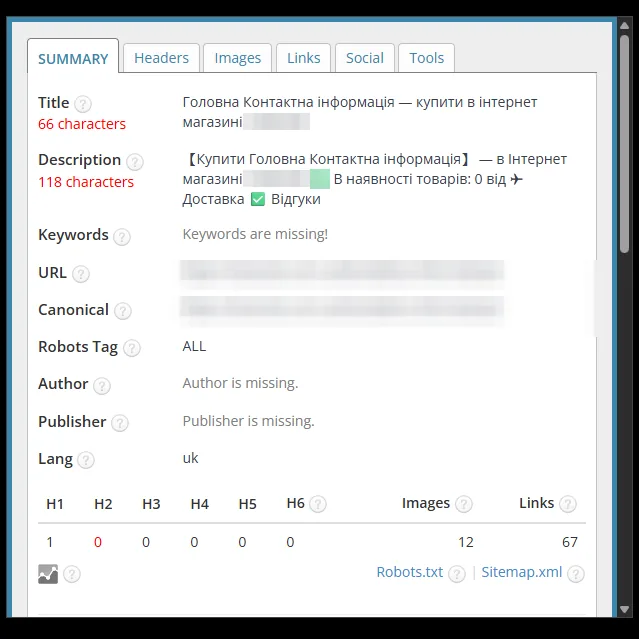
The home page Description had 97 characters, the tabi category – 113, contacts – 118, a product page – 110. Product page Titles had 72 and 83 characters, contacts – 66. The checker panel marked them red.
In numbers
What the checking panel showed
12
pages in the project, 8 of them in the comparison below
97 → 160
characters in the home page Description: from the red zone to the green one
72 → 56
characters in the product page Title: no SKU, from the red zone to the green
How we worked
Four steps of basic optimization
The work follows the Basic SEO optimization package.
- Step 01
Page and template analysis
We checked which Titles and Descriptions Horoshop generates for the home page, categories, products, contacts and the manufacturer page. We listed the service phrases that ended up in snippets: "Buy Home", "0 from", SKUs in Titles.
- Step 02
Hand-written home page tags
The home page Title now includes the product groups: no-show socks, tabi socks, sports socks. The Description presents the range and the store's advantages – 160 characters.
- Step 03
Formulas for categories and products
Categories got a shared formula "query buy – Online store …", and the names were adjusted to search queries: "tabi socks", "running socks". On product pages the name comes first in the Title, followed by "buy", with no SKU. The Description of both formulas lists the advantages with emoji and the call "Order now".
- Step 04
Contacts, manufacturer and review
On the contacts page we removed the extra "Home" and the product template, and the manufacturer page got its own Title and Description. Then we checked the tags in the panel: the Descriptions of the compared pages have 152–166 characters and are marked green.
Before and after
SEO tags: before and after
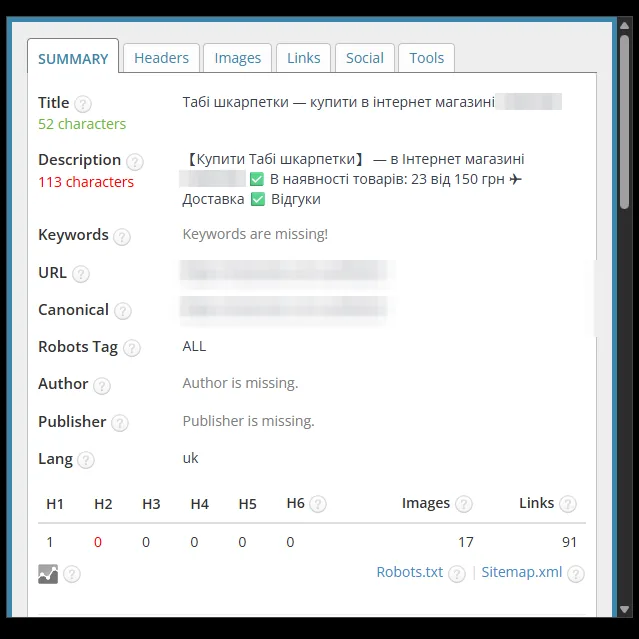
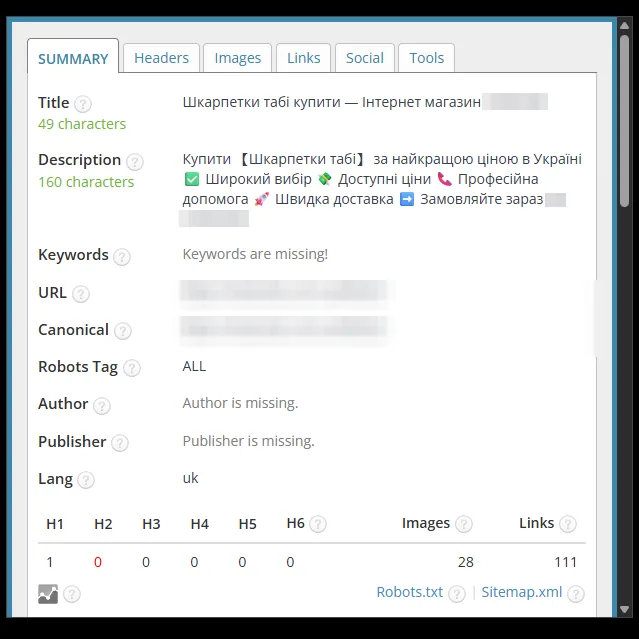
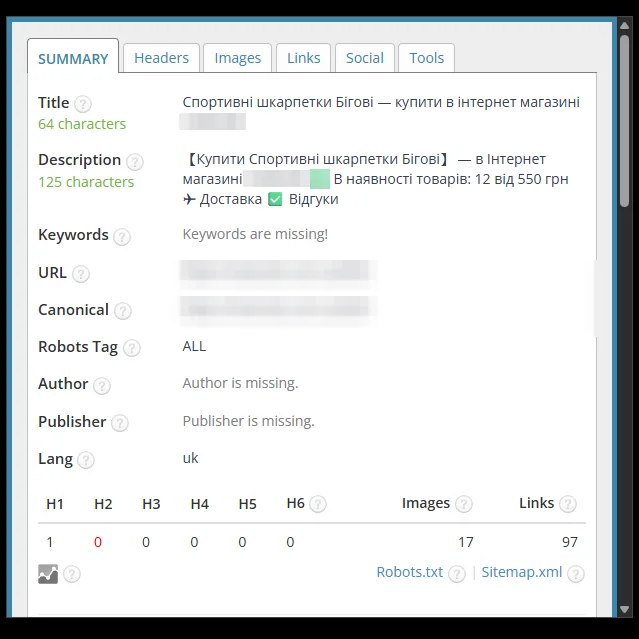
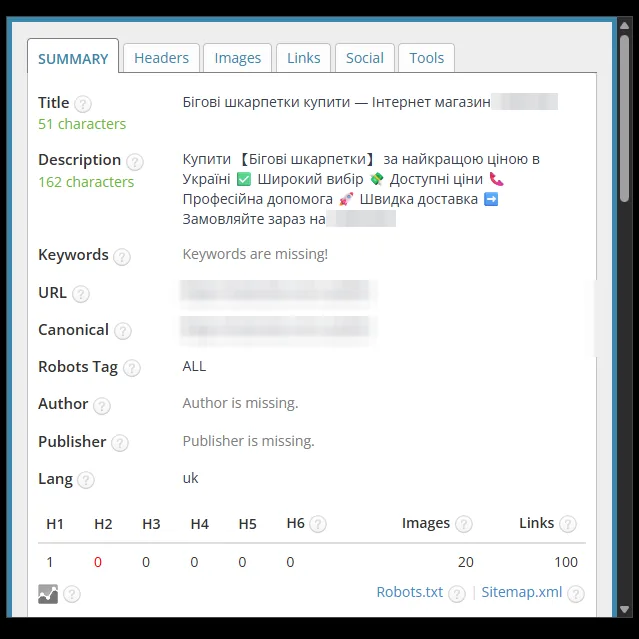
Screenshots of the SEO tag checking panel before and after the work; the store name is hidden.
Home page
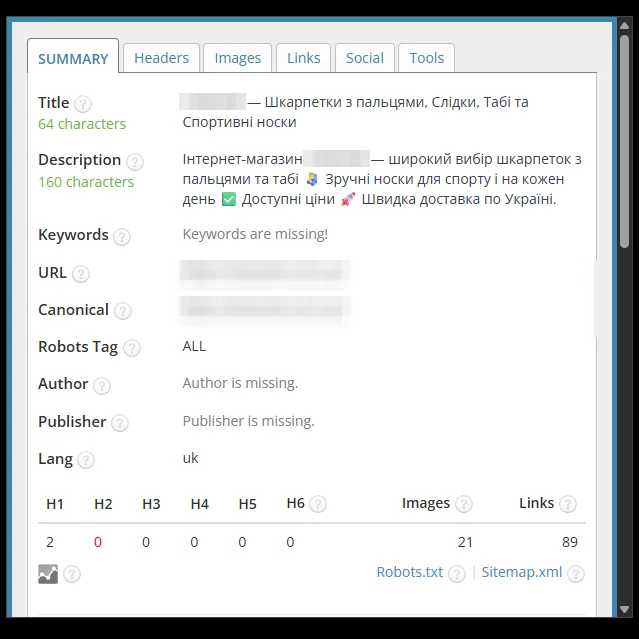
The Title now includes the product groups: no-show socks, tabi socks, sports socks (31 → 64 characters). The template Description "Buy Home … Products in stock: 0 from" (97 characters, red zone) was replaced with a description of the range with advantages and emoji (160 characters).
Category: toe socks
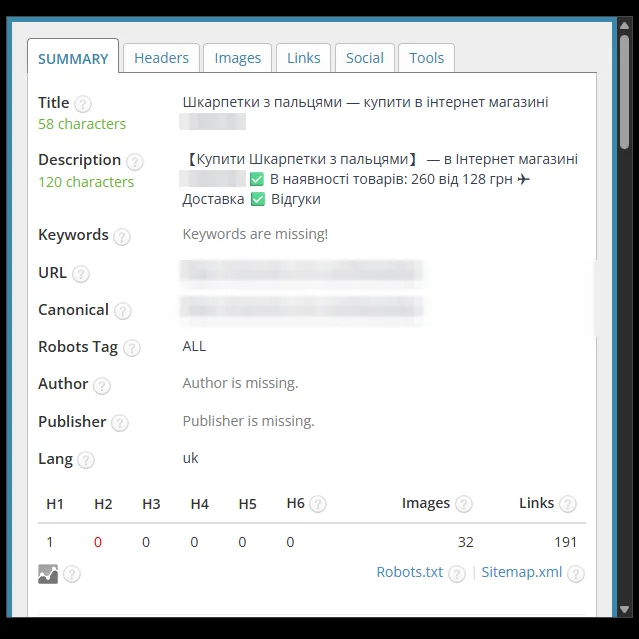
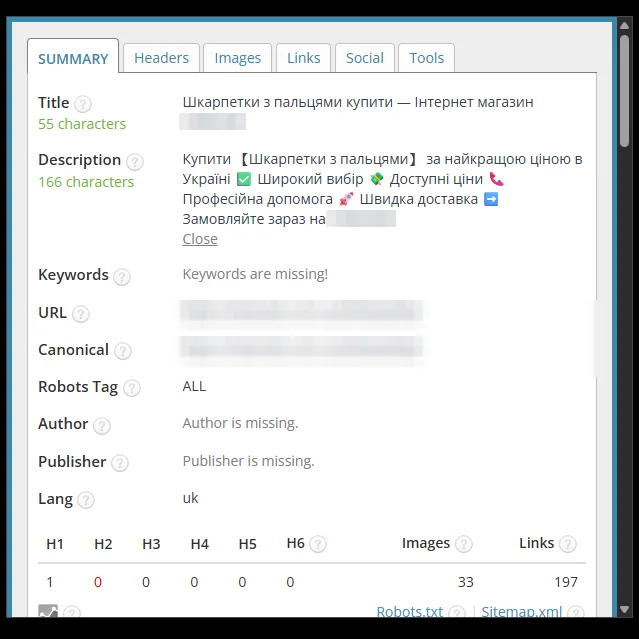
The Title was rearranged into the form "toe socks buy – Online store …" (58 → 55 characters). The template with the "Products in stock" counter and the "from" price in the Description was replaced with text featuring advantages, emoji and a call to action (120 → 166 characters).
Category: tabi socks
The Title was reworded for the query "tabi socks buy" (52 → 49 characters). The Description with auto-generated stock text (113 characters, red zone) was replaced with text featuring advantages, emoji and a call to action (160 characters).
Category: running socks
The Title was shortened to the query "running socks buy" (64 → 51 characters). The template with the product counter in the Description was replaced with text featuring advantages, emoji and a call to action (125 → 162 characters).
Contacts page
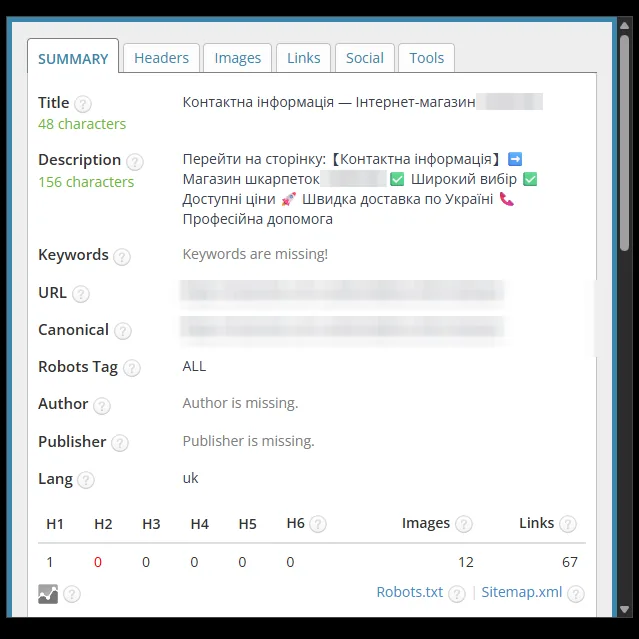
The extra "Home" and "buy in the online store" were removed from the Title, leaving "Contact information – Online store …" (66 → 48 characters, from the red zone to the green). The product template with "Products in stock: 0 from" in the Description (118 characters, red zone) was replaced with text about the store and its advantages (156 characters).
Product: women's ribbed socks
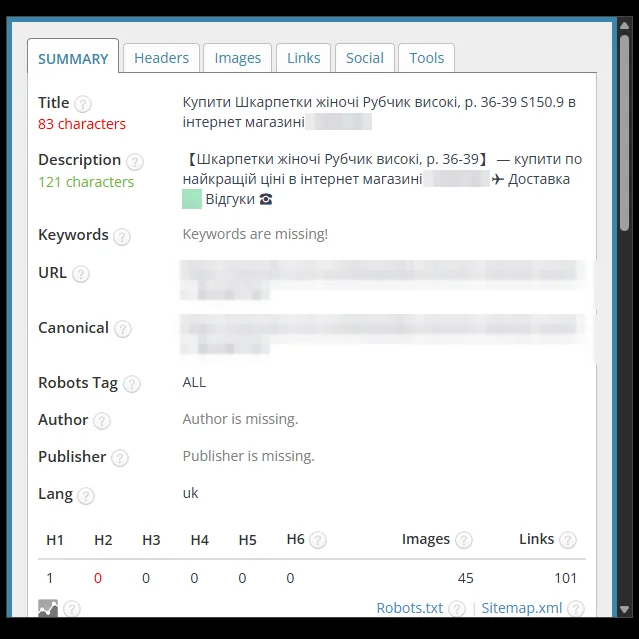
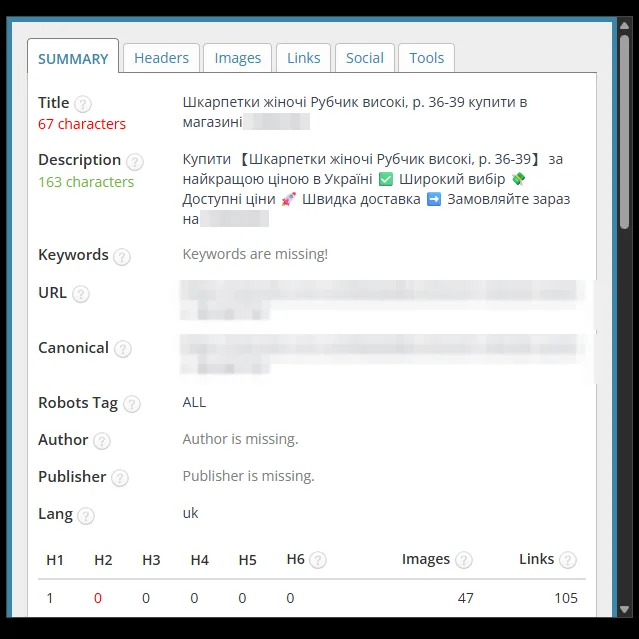
The SKU was removed from the Title and "buy" moved after the product name (83 → 67 characters; the panel still marks the length red). The template Description with "Delivery", "Reviews" and a phone icon was replaced with text featuring advantages, emoji and a call to action (121 → 163 characters).
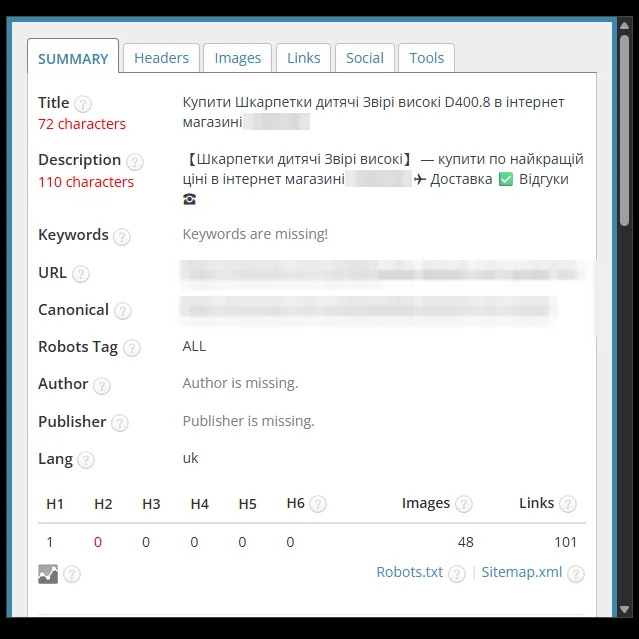
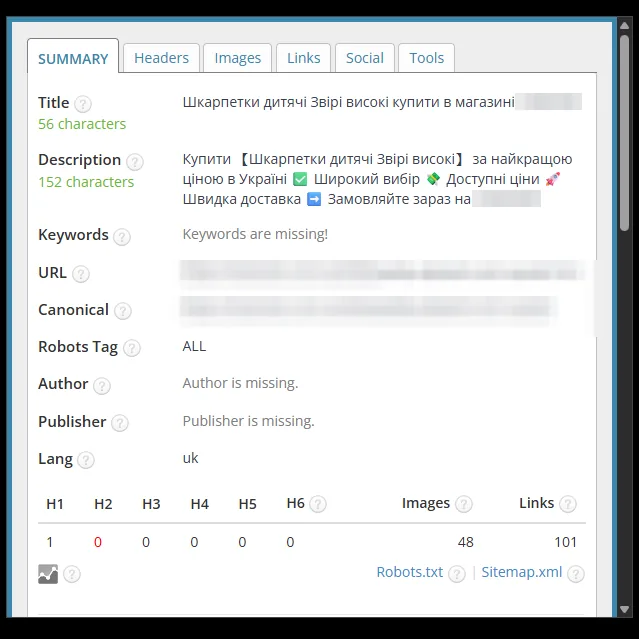
Product: kids' socks with animals
The SKU and the "Buy" prefix were removed from the Title: 72 characters in the red zone → 56, green. The Description grew from a 110-character template (red zone) to 152 characters with advantages, emoji and a call to action.
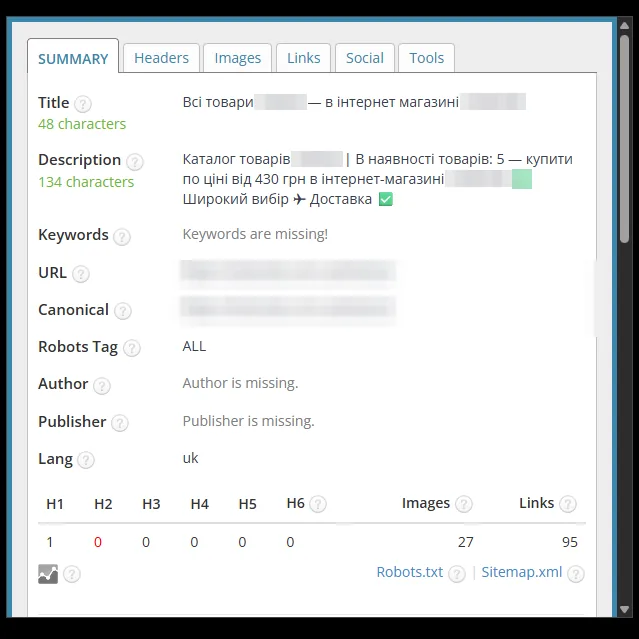
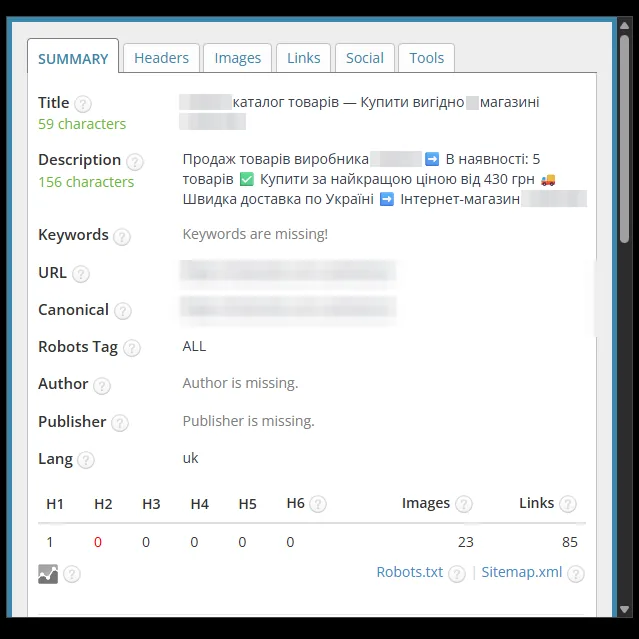
Manufacturer (brand) page
The Title "All products … – in the online store …" was rewritten as "… product catalog – Buy at a good price in the store …" (48 → 59 characters). The catalog template Description (134 characters) was replaced with text about the manufacturer's products with availability, a "from" price, delivery and emoji (156 characters).


Result
Snippets without service phrases
Basic SEO optimization covered every page of the site: the home page, catalog sections, product pages and information pages. The screenshots above are examples that show how the Title, Description and H1 changed.
Categories and products got Titles with the group or product name and the word "buy", and the home page got a list of product groups. The Descriptions on the compared pages have 152–166 characters and are marked green in the checker panel. "Buy Home" and the empty "0 from" counter disappeared from the snippets, and SKUs disappeared from product page Titles. The panel still marks the Title of the women's socks page (67 characters) red – shortening it is the next step.
Shoppers see the snippet in Google before they visit the site: the query in the title and the advantages in the description help them choose a store. Such tags are worth setting up before launching ads and SEO promotion of the store.
BASIC package
Basic SEO optimization of your Horoshop store
Title, Description and H1 for all pages of the website: home page, categories, product pages, information pages. We replace the platform's template tags with texts containing search queries.
- Title and Description
- H1 on every page
- Templates for categories and products
- Before and after report
from $150
Free consultation
Want these tags for your store?
Send us your store's address – we will check which tags Horoshop generates now and propose the scope of work. We reply Mon–Fri from 9:00 to 18:00.
- Telegram@LightSEOUA
- Phone095 430-06-28
- Emaillightseoua@gmail.com
- Office hoursMon–Fri: 9:00–18:00