
Case study · Basic SEO optimization on Horoshop
Basic SEO optimization of a women's bags online store
Basic SEO optimization of an online store for women's bags, wallets and backpacks on Horoshop, December 2024. The Title of every page consisted of its name, the store name and the words "Women's Bags", the Description was empty, and the home page had no H1. LightSEO optimized every page of the site; examples are below.

What it was like
Titles from one template and no Description at all
This is how the tags of eight store pages looked before the work began.
The store name in every Title
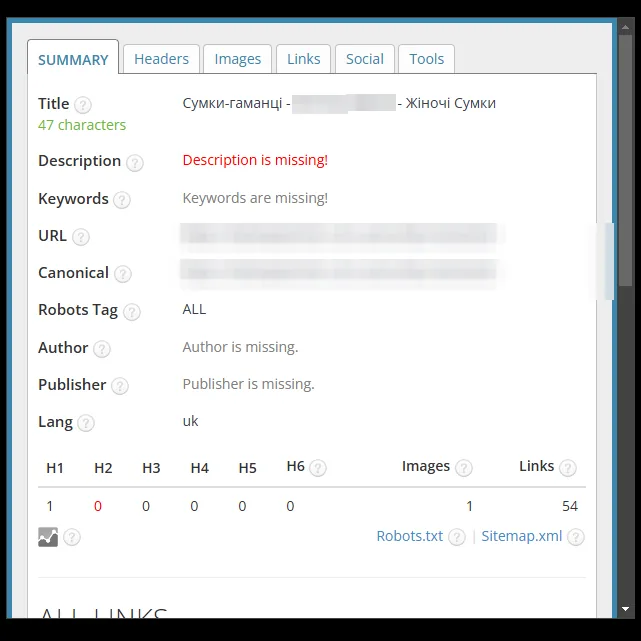
The Title followed the formula "page name – … – Women's Bags". It had no words like "buy". In the women's bags category the words repeated: "Bags Women's – … – Women's Bags".
Empty Description
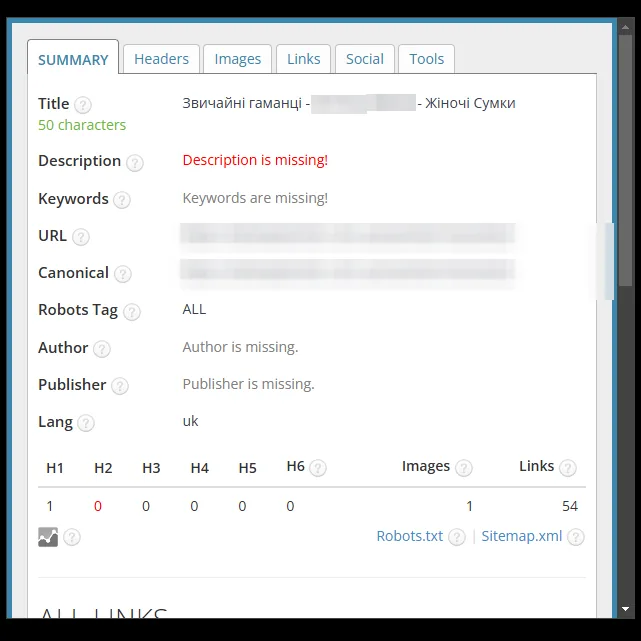
On all eight pages the checking panel marked the Description red as missing. Without a description, the search engine takes a fragment of the page text for the snippet on its own.
No H1 on the home page
On the home page the panel showed 0 H1 headings. The home page Title had 31 characters: the store name and "Women's Bags". The Title of one of the product pages had 66 characters, and the panel marked it red.
In numbers
What the checking panel showed
8
examples in screenshots: home page, 4 categories, contacts, 2 products
0 → 163
characters in the home page Description: from an empty field to the green zone
0 → 1
H1 on the home page
How we worked
Four steps of basic optimization
The same order of work as in the basic SEO optimization package.
- Step 01
Page analysis
We checked the tags of the home page, categories, contacts and product pages: the Title formula, empty Descriptions, the number of H1 tags and the robots tag.
- Step 02
Hand-written tags for the home page and contacts
For the home page we wrote the Title "… – Store of Women's Bags and Accessories" and a Description with the sections: bags, wallets, backpacks, gift wrapping. For contacts – the Title "Contact information – Online store …" and a description with a call to visit the page.
- Step 03
A single formula for categories and products
For categories and product pages we set a formula: the name and "– buy at a good price in the store …" in the Title, the name in 【】 brackets and advantages with emoji in the Description. The "Women's Bags" tail was removed from the Title. For two wallet categories the name in the Title was restructured: "Women's Bags Wallets", "Wallets Women's Regular".
- Step 04
H1 and a check in the panel
The home page got an H1. We checked every page in the SEO tags panel: Title and Description length, the number of H1 tags, the robots tag.
Before and after
SEO tags: before and after
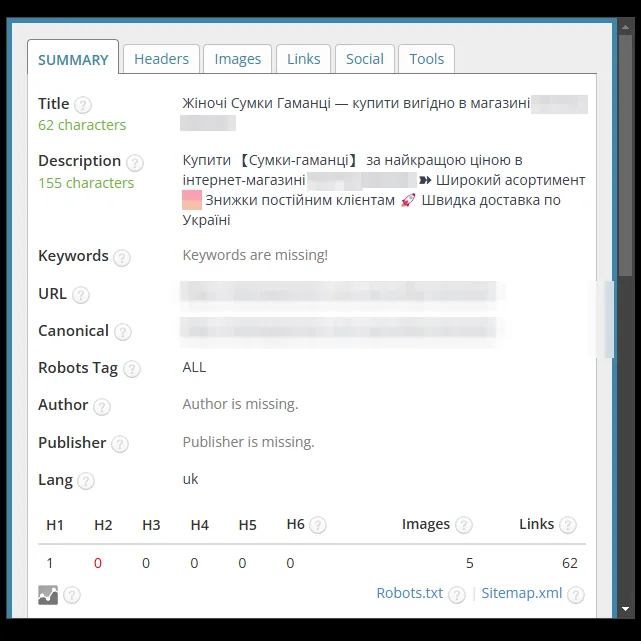
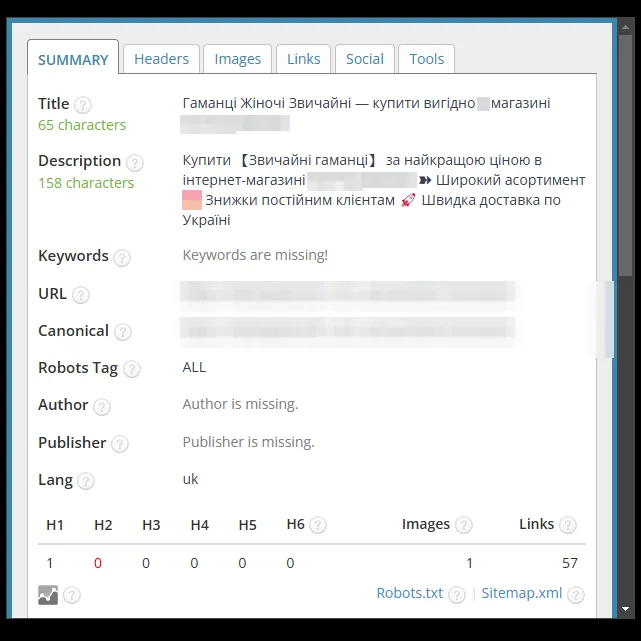
Screenshots of the SEO tag checking panel before and after the work; the store name is hidden.
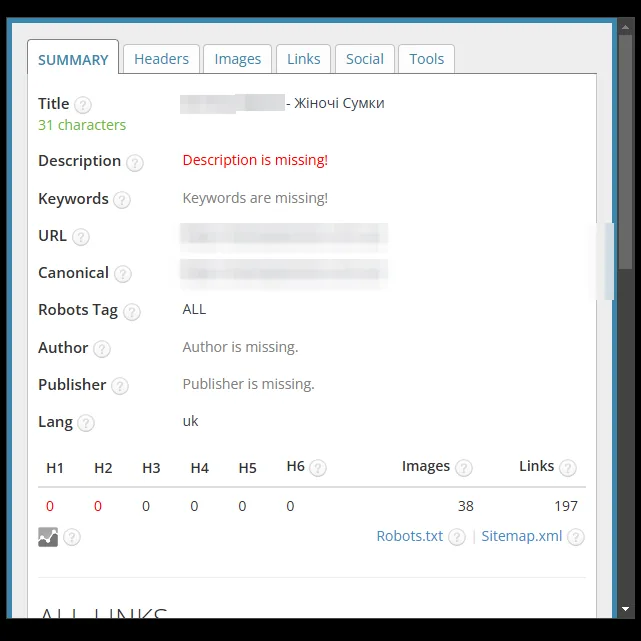
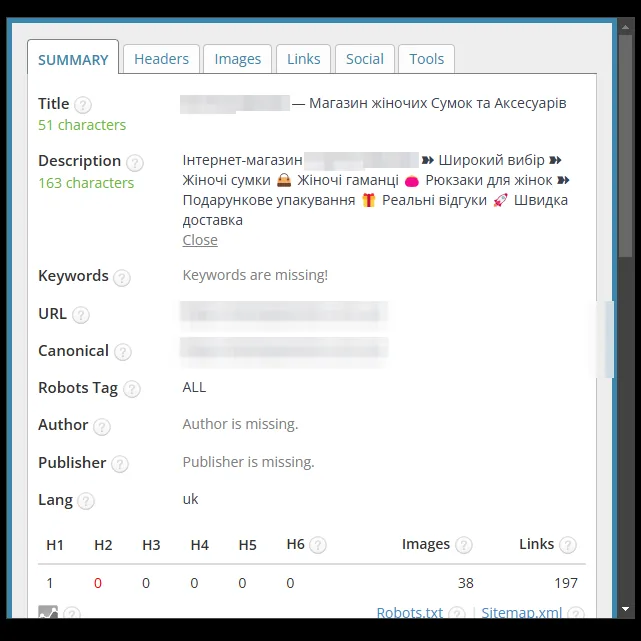
Home page
The Title made of the store name and "Women's Bags" was extended with a description of the range: "… – Store of Women's Bags and Accessories" (31 → 51 characters). A Description with a list of sections and emoji was added (0 → 163 characters), and the page got an H1 (0 → 1).
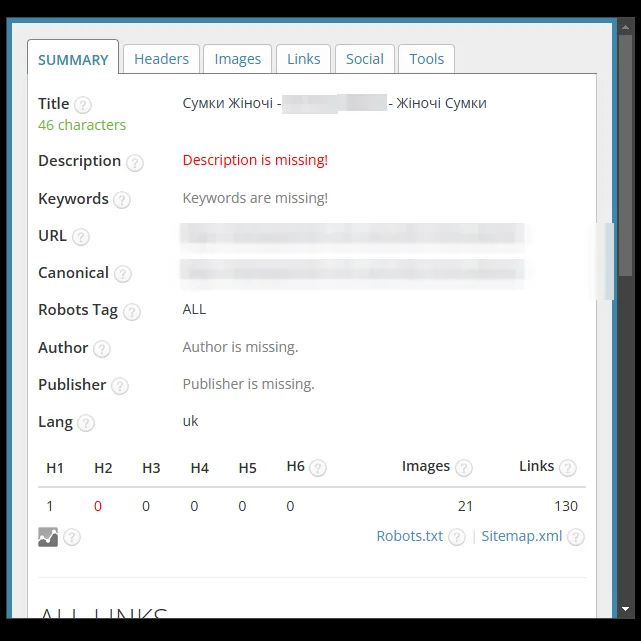
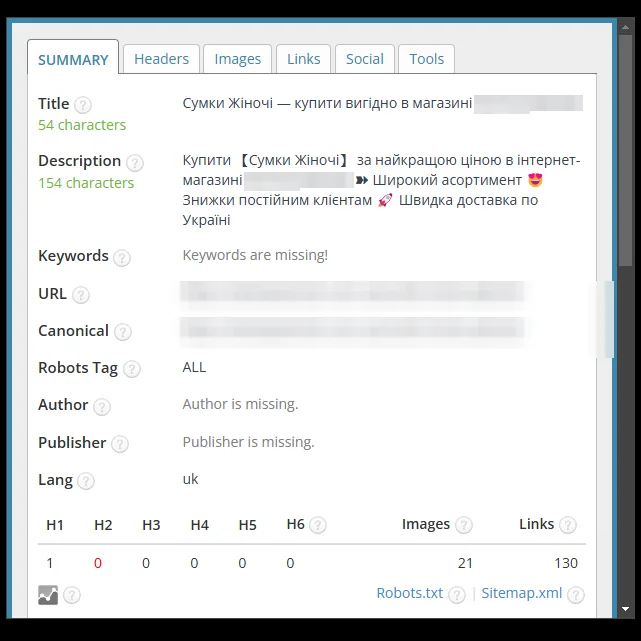
Category: women's bags
The Title "Bags Women's – … – Women's Bags" with repeated words was replaced with "Bags Women's – buy at a good price in the store …" (46 → 54 characters). The empty Description was filled with a text with the category name, advantages and emoji (154 characters).
Category: wallet bags
The Title was restructured with the key phrase "Women's Bags Wallets" and the part "– buy at a good price in the store …" (47 → 62 characters). A 155-character Description with the category name, advantages and emoji was added.
Category: regular wallets
The Title was restructured with the key phrase "Wallets Women's Regular" and the part "– buy at a good price in the store …" (50 → 65 characters). A 158-character Description with the category name, advantages and emoji was added.
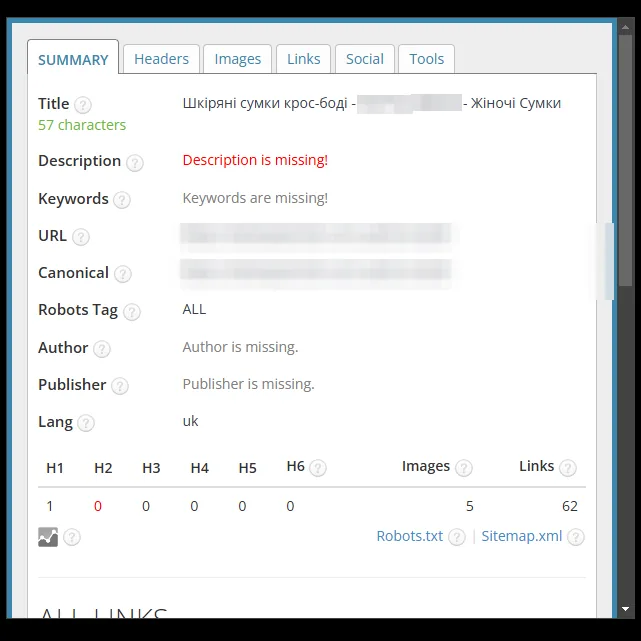
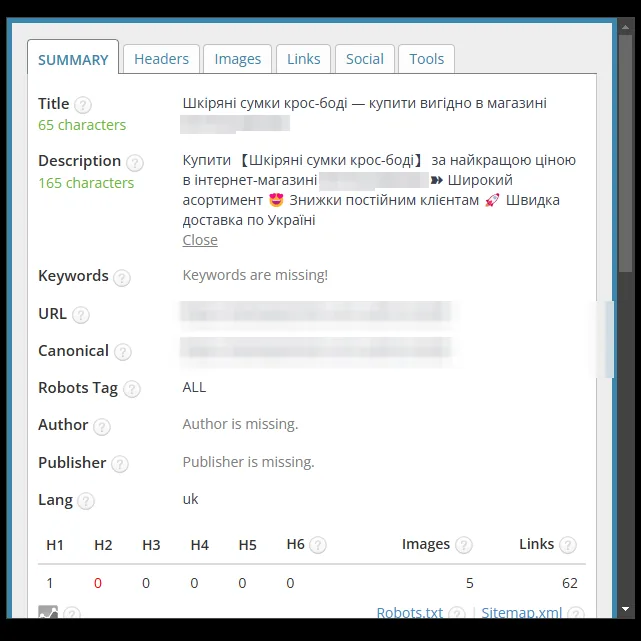
Category: leather crossbody bags
The Title "Leather crossbody bags – … – Women's Bags" was replaced with "Leather crossbody bags – buy at a good price in the store …" (57 → 65 characters). A 165-character Description with the category name, advantages and emoji was added.
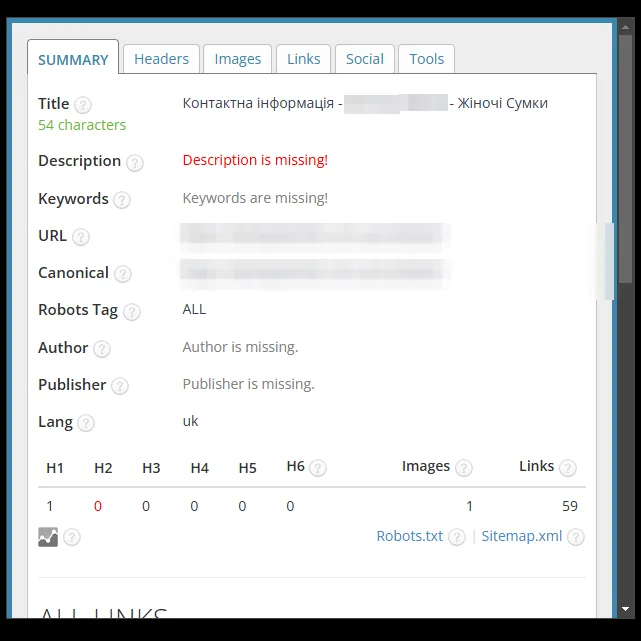
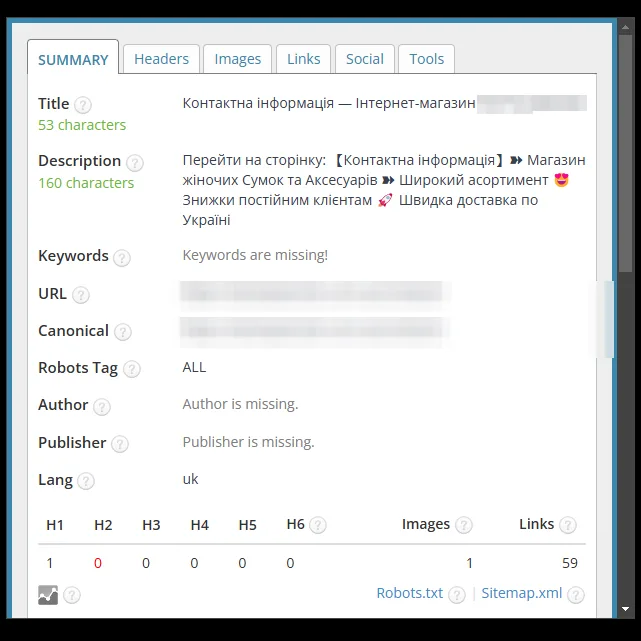
Contacts page
The Title "Contact information – … – Women's Bags" was replaced with "Contact information – Online store …" (54 → 53 characters). A 160-character Description with a call to visit the page, a description of the store and its advantages was added.
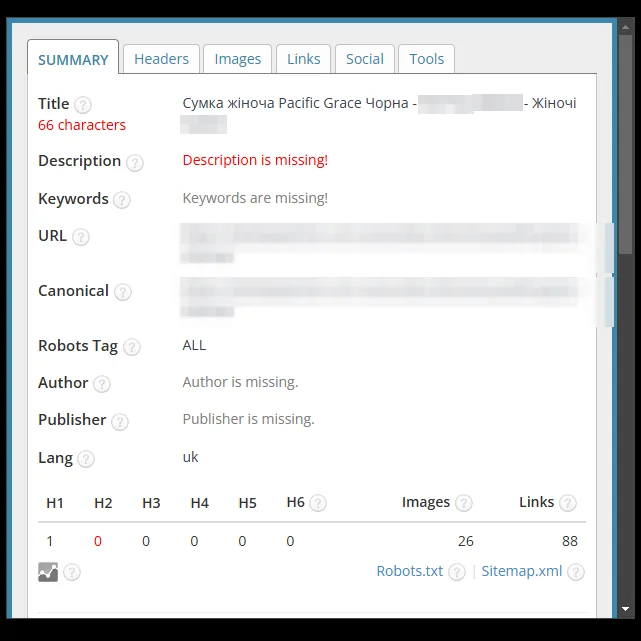
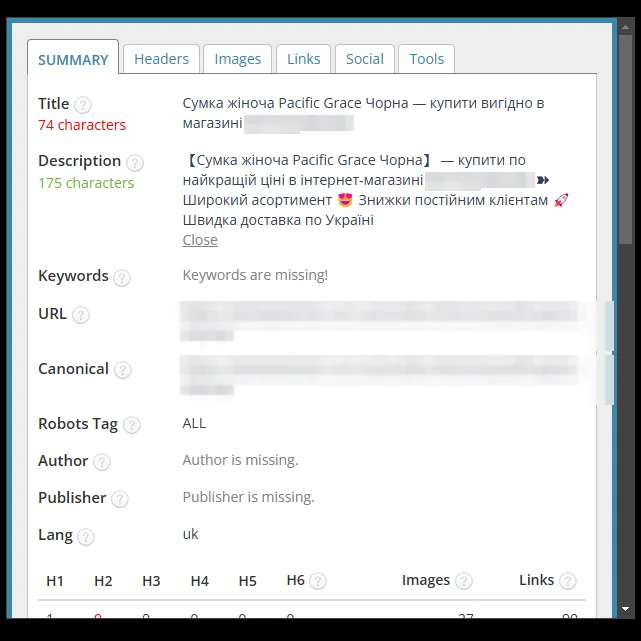
Product: black women's bag
The "– … – Women's Bags" tail in the Title was replaced with "– buy at a good price in the store …" (66 → 74 characters; the panel marks the length red, as before). A 175-character Description with the product name in 【】 brackets, advantages and emoji was added.
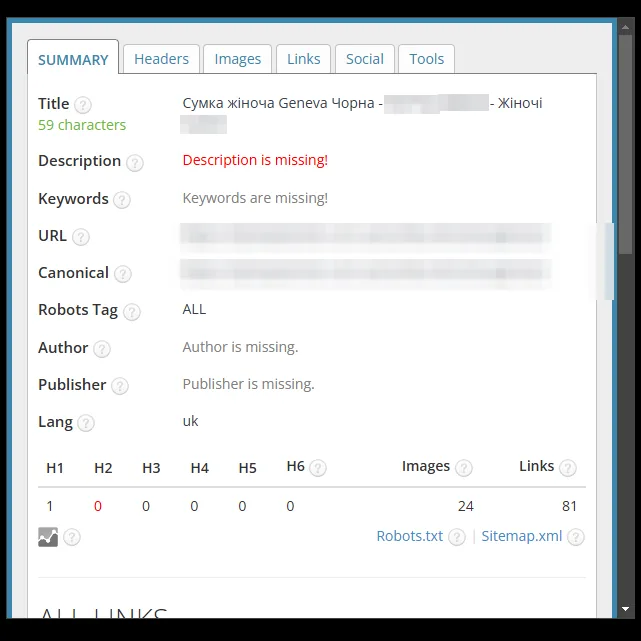
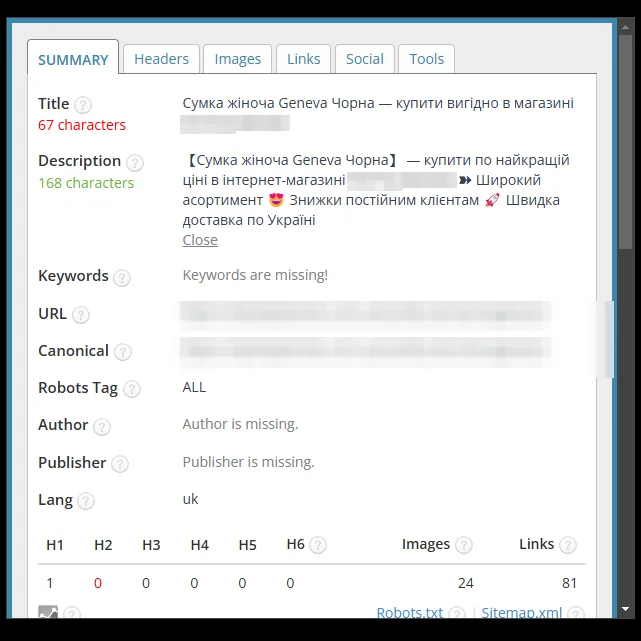
Product: black women's bag, another model
The "– … – Women's Bags" tail in the Title was replaced with "– buy at a good price in the store …" (59 → 67 characters; the panel marks the new length red). A 168-character Description with the product name, advantages and emoji was added.


Result
New tags on each of the eight pages
Basic SEO optimization was done for every page of the site: the home page, catalog sections, product pages and information pages. The screenshots above are examples that show how the Title, Description and H1 changed.
Every page of the site received a new Title and a Description with the store's advantages. Categories and products share one tag formula. All Descriptions are in the green zone of the panel (154–175 characters), and so are the Titles of the home page, categories and contacts. The Titles of two product pages have 67 and 74 characters, and the panel marks them red. The home page got an H1, and every other page has exactly one. The robots tag on all pages has the value ALL, as it did before the work.
The snippet is the first thing a shopper sees in Google before visiting the site. Clean titles and descriptions with the product name and the word "buy" are worth having before you launch ads and SEO promotion: work with search traffic starts with them.
BASIC package
Basic SEO optimization of your Horoshop store
Title, Description and H1 for all pages of the website: home page, categories, product pages, information pages. We replace the platform's template tags with texts containing search queries.
- Title and Description
- H1 on every page
- Templates for categories and products
- Before and after report
from $150
Free consultation
Want these tags for your store?
Send us your store's address – we will check which tags the platform currently generates and propose a scope of work. We reply Mon–Fri from 9:00 to 18:00.
- Telegram@LightSEOUA
- Phone095 430-06-28
- Emaillightseoua@gmail.com
- Office hoursMon–Fri: 9:00–18:00